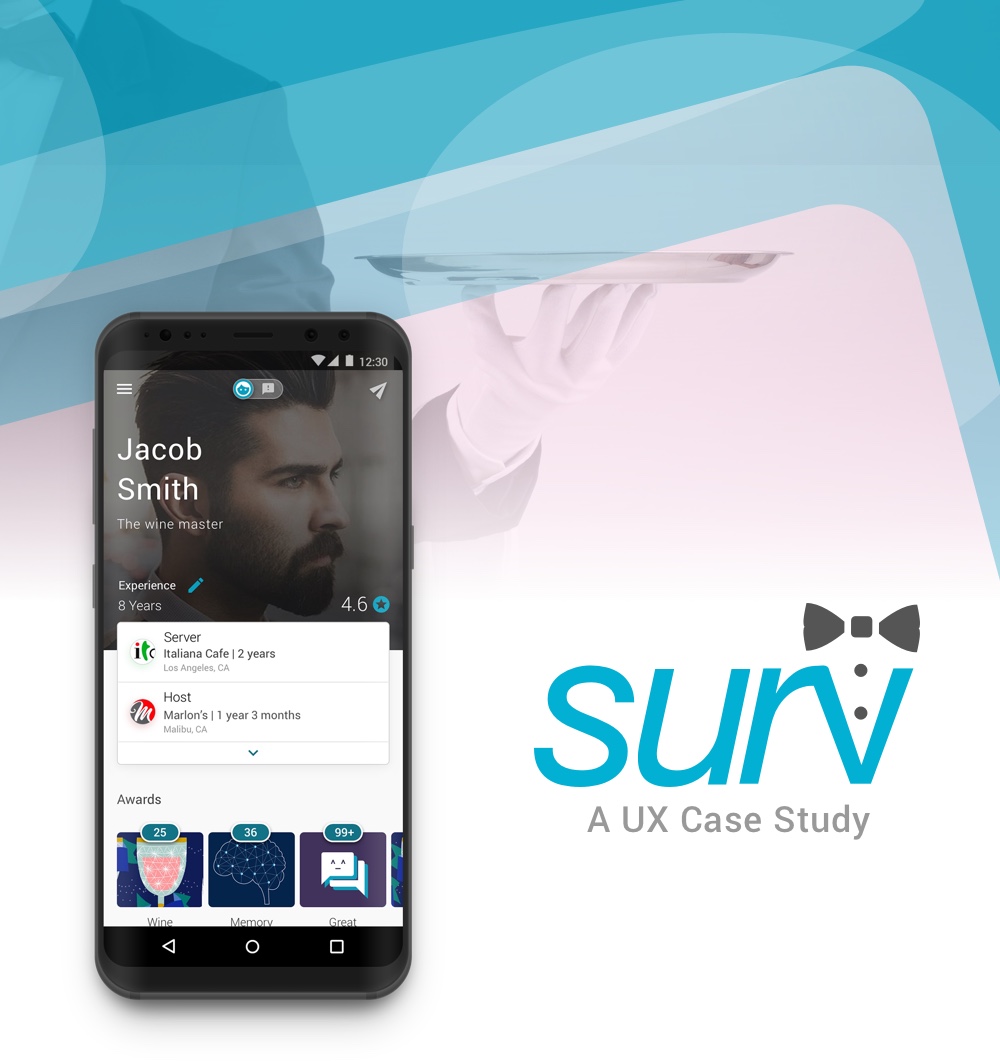
PRODUCT TYPE: Service Industry | ROLE: Product Designer
The Challenge
While there are many ways to rate and review restaurants, these are not focused on evaluating individuals servers. Design an experience where diners can submit positive comments and constructive suggestions for the wait staff, and servers can use this feedback to both improve and help to secure new employment. Provide a high-level flow and supporting wire frames.
My Process:
Discover > Design > Develop > Deploy
In the discover phase, I address and define what the problem is as I begin scoping out what’s essential to the experience. Defining as much as possible at this stage helps lay the groundwork for an impactful experience while solving many issues before visual work is factored in. Writing out ideas & sketching help me clearly lay out key ideas, which allows me to address them throughout the process.
Keys to the Discover phase:
- Defining the problem and the requirements to solve it.
- Defining the target audience and scope.
- Deciding what the goals are for the users.
- What questions or assumptions do I have.
- Market Research.
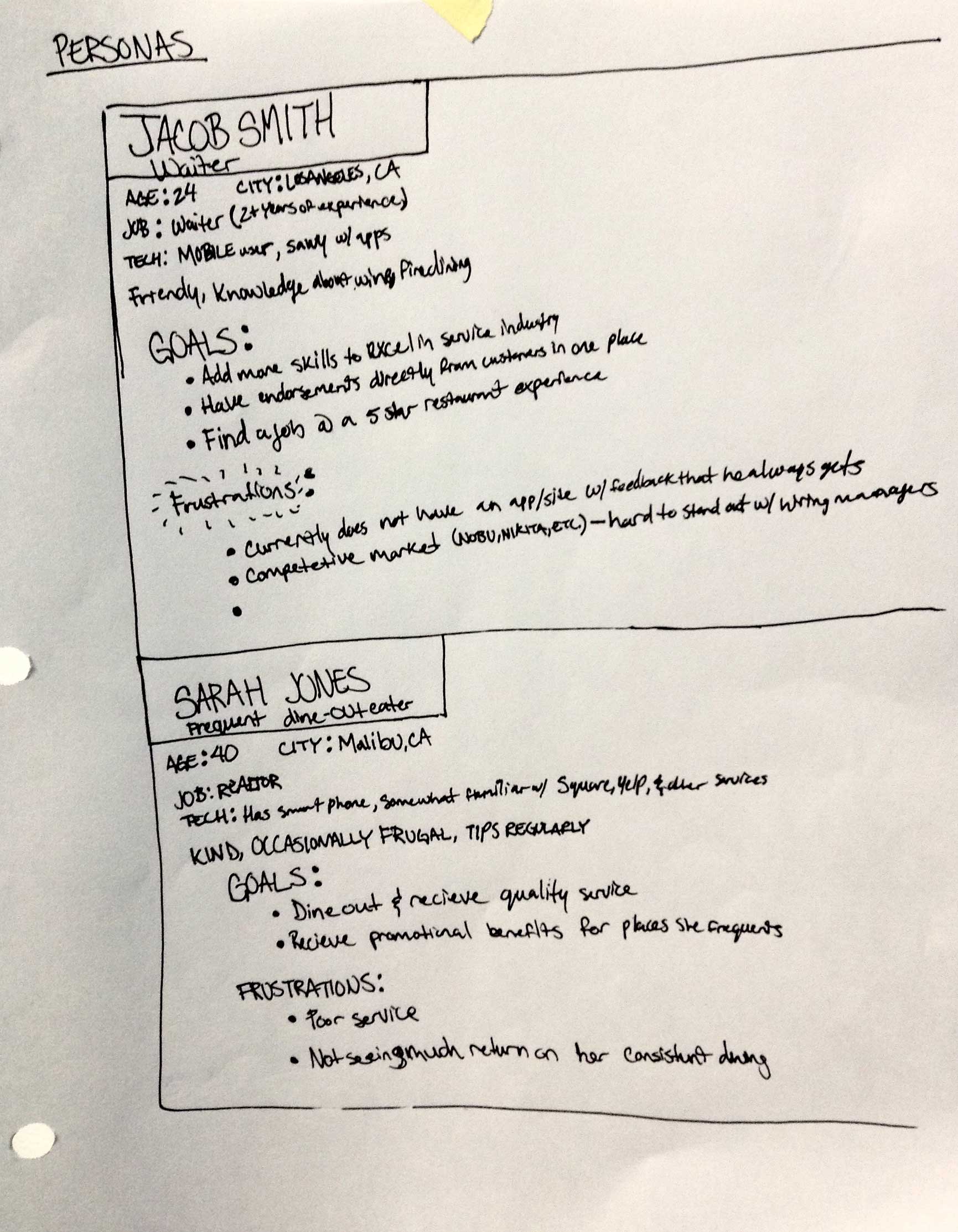
- Persona development.
- User flows and storyboarding.
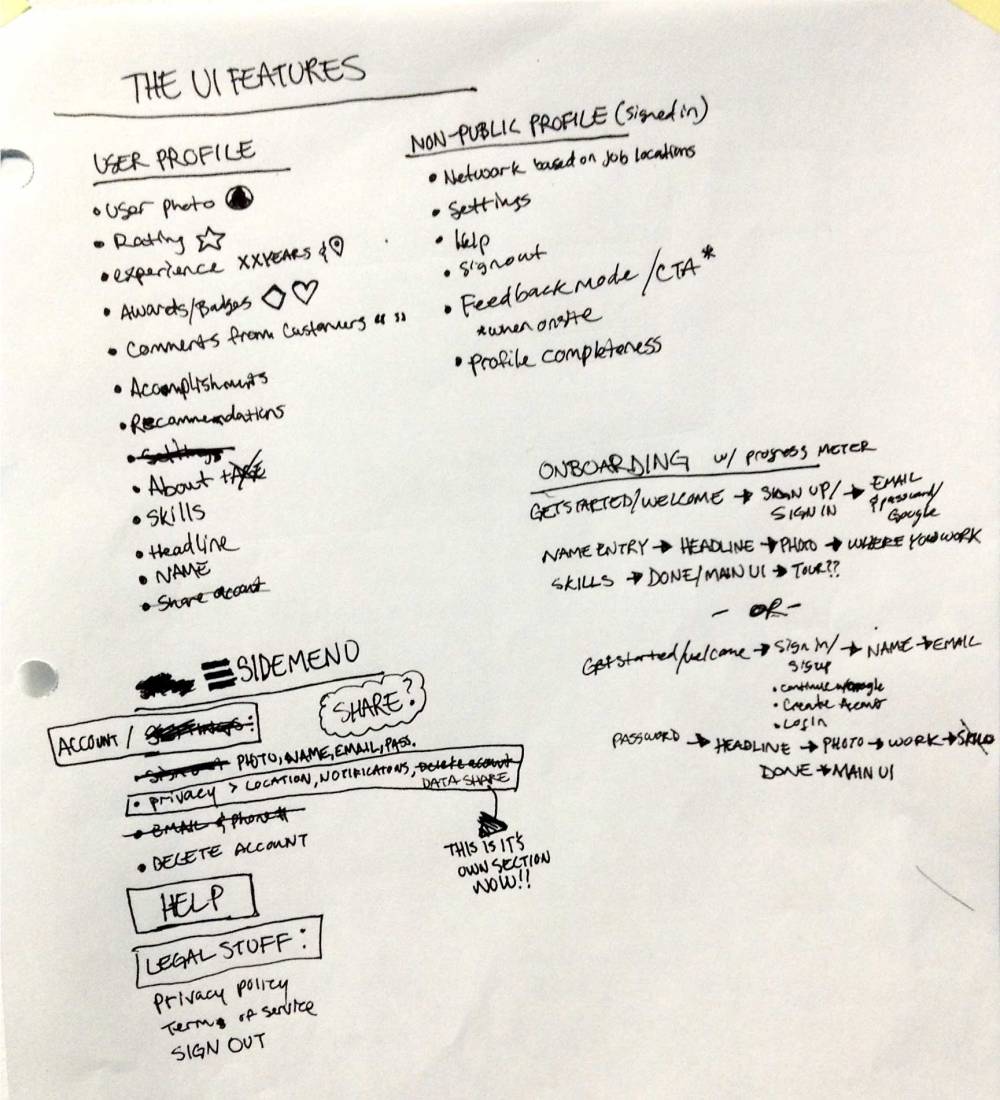
- Sitemapping and feature defining.
Problem
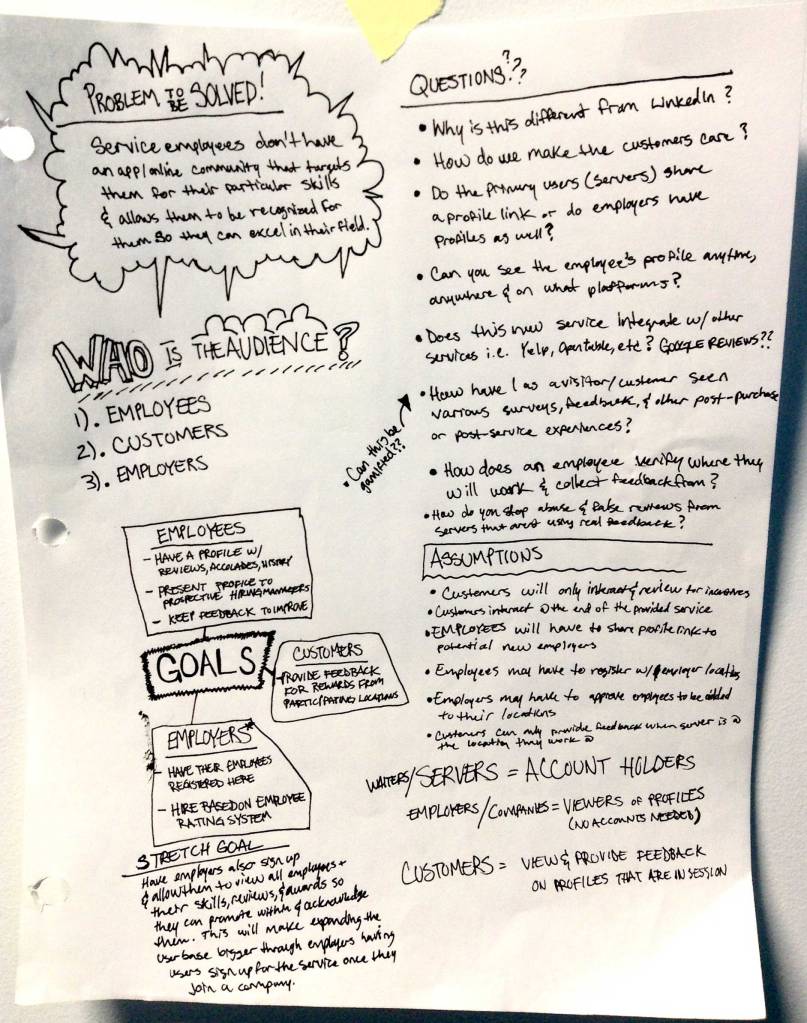
Service industry employees do not have modern ways of receiving direct feedback for their own abilities while restaurants have a plethora of options for receiving feedback. This does not help the employees excel personally in their field. The employees are not afforded a similar record of customer feedback.
Audience
Primary:
Employees looking to advance their careers and self-improve (age 18 – 35).
Secondary:
- Employers looking to validate potential new hires. Future Scope: Allow employers to manage their employees through this experience.
- Customers who dine out
Goals
- Create an experience where service employees can build a profile, highlight their strengths, obtain feedback and improve at their current job.
- Employees can present their profiles to prospective employers once they have gathered their experience, accolades, and feedback.
- Customers can provide feedback and receive discounts and other incentives.
Scope & Constraints
This will be a simple app that will not have an employee and employer mode or have people sign up who are not specifically looking for service industry employment—customers and employers do not need accounts for this solution at this time.
This decision was tough to make—having a system with all of these audiences directly involved with account creation becomes tough as it goes further from the original issue. We assume that customers will only use this for some kind of incentives since it is not like other services like rideshare apps where the customer is paying a person directly for their services. Starting with the large idea of having a system that includes employer registration for their location, employee profiles, and potentially a pay system is something I considered and may be viable in the future.
The interesting thing is that after simplifying everything, I found it very challenging to determine how to work with some of the issues the arose. This forced me to consider many avenues for the solution.
Research
I took this time to speak with a few people who have worked in the service industry as waiters along with analyzing current products and what’s missing for the for this set of users. Finding their pain points and creating an empathetical approach allows me to better understand what I, as a user, would absolutely need.
- Yelp
- Google reviews
- OpenTable
- LinkedIn (not restaurant based, but the profile carries feedback from other users as recommendations)
- Uber
- Lyft
- Airbnb
Each of these keep track of customer feedback, highlighted features, and ratings.
The People
After speaking with people who worked in the service industry, I found that they did not really get direct feedback unless it’s from their bosses. They also rarely had an opportunity to gain feedback from customers. Ultimately, they would have been happy to move up the ranks, but without having a way to get support from customer feedback, they had to rely on their boss’ judgement alone. This makes the creation of a reference document/experience with the positive statements from customers very important so employees can justify their career decisions.
The next challenge revolves around creating an experience that customers would actually engage with. Incentives are the big driving factor for providing feedback. People already use services like Uber and never add the feedback for drivers after their service is complete. But, we see Yelp users who will check in and even provide feedback for a business based on a specific incentives sometimes—free items, discounts, etc. are all in play here.
- Discounts at the dining location
- Gift cards (Visa, Amex, etc)
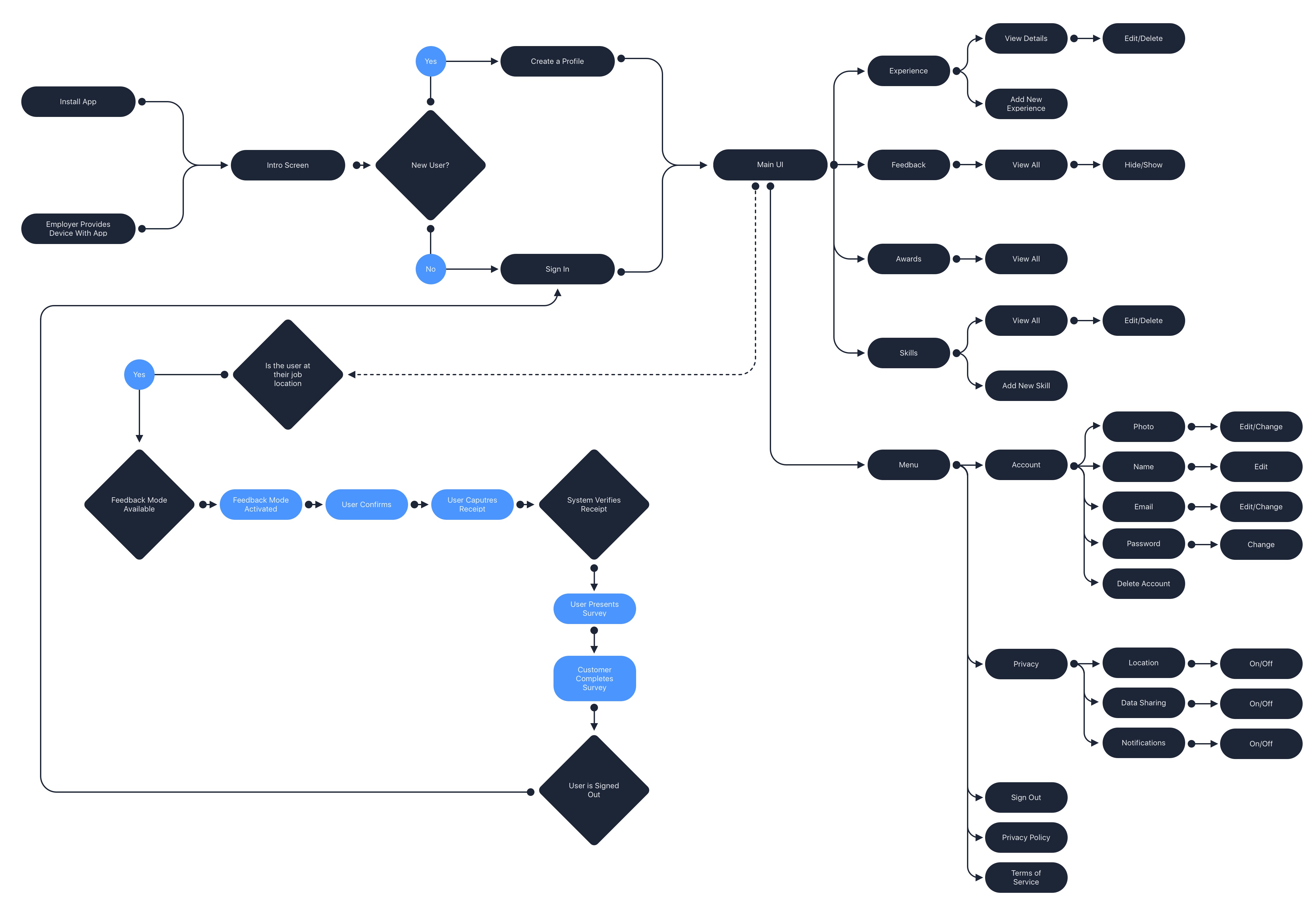
Site Map & User Flows


Feedback Scenario
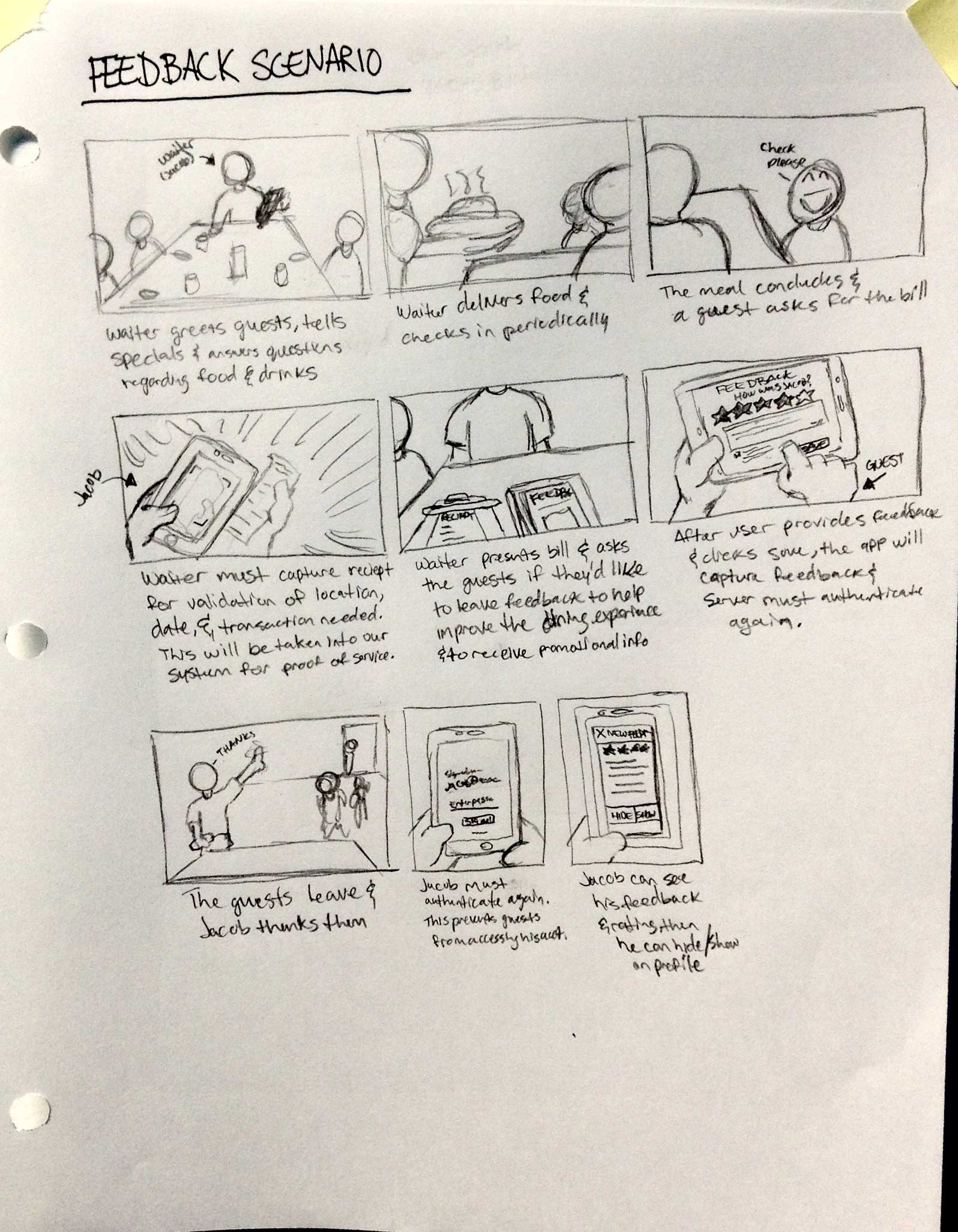
Creating a visual storyboard can help put everything in perspective for what the users will experience from the employee and customer perspectives.
Discover > Design > Develop > Deploy
The design phase is all about making visual sense of the ideas from the flows, architecture, research, and scenarios of the previous phase.
Keys to the Design phase:
- Flows with visuals
- Wireframing
- User testing
- Prototyping
- Rapid interation
- High fidelity mockups
- Spec creation
From Sketches to Wireframing
With all of the learnings from the previous phase, UIs and flows can be fleshed out further and initial thoughts can be validated to ease pain points and make an efficient expereince for users.


Onboarding
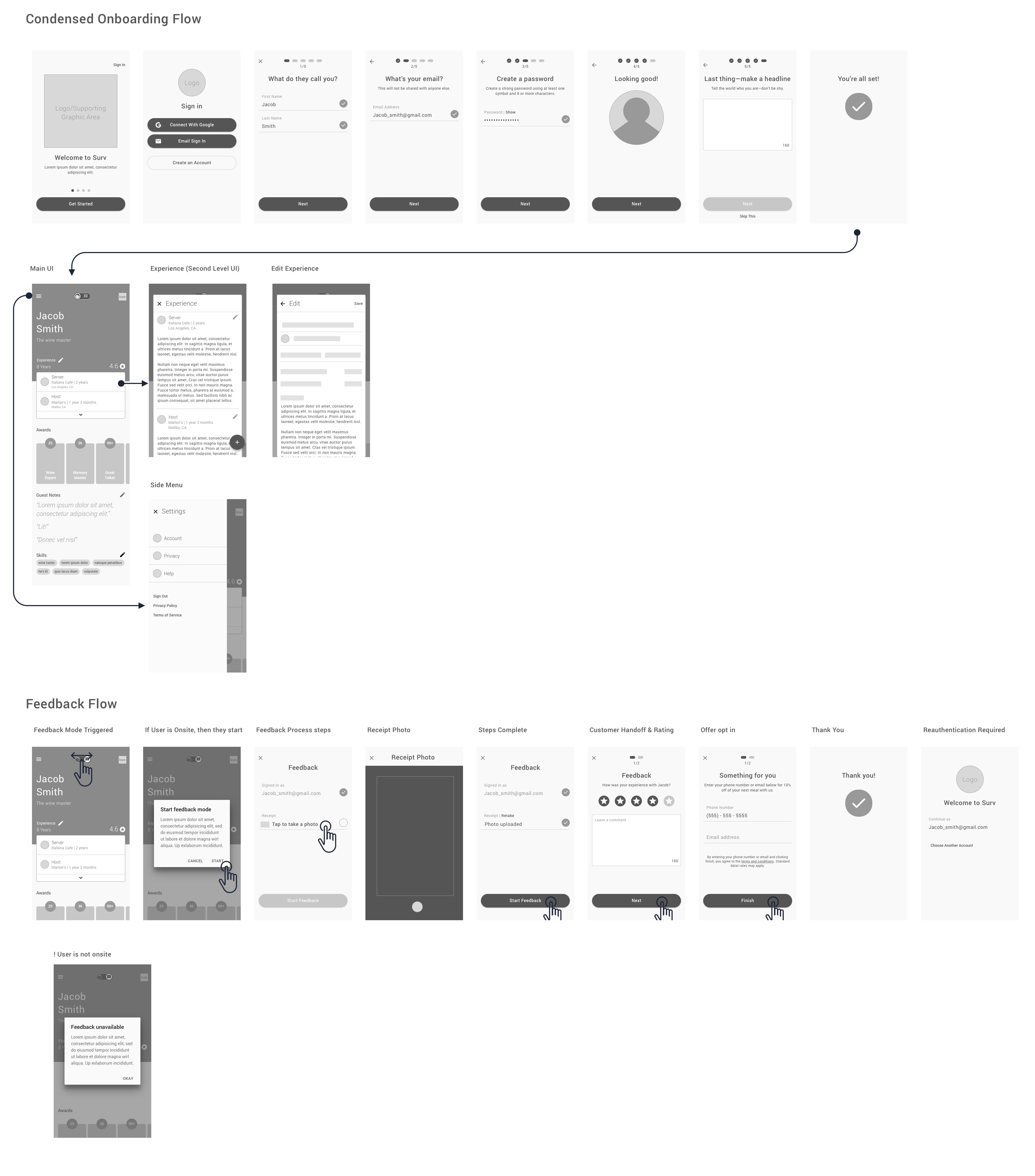
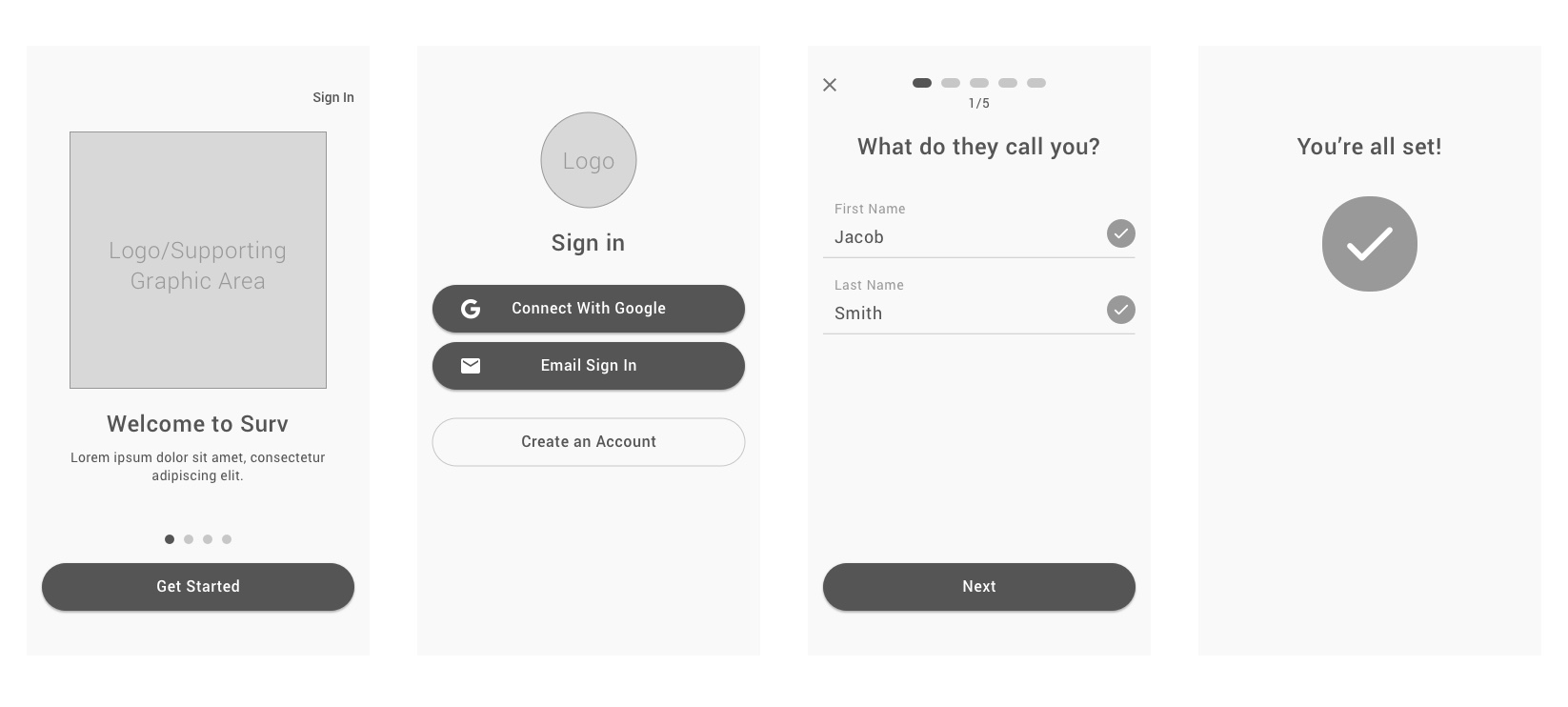
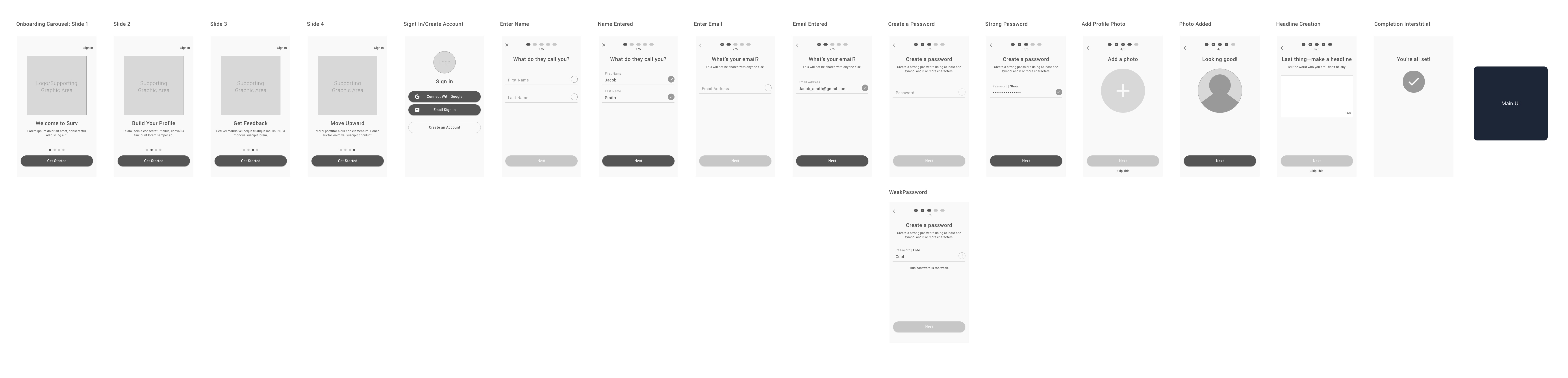
Onboarding was something that I wanted to not be overwhelming by prompting users to complete their entire profile all at once. I originally sketched it out to include adding their job experience, but I felt that the steps became too much for users to add—this can be helped by adding a profile completion meter (see Main UI exploration sketches above). The idea is to try to get the user to the main UI as fast as possible and reduce friction.
Onboarding at a glance:
Full onboarding flow:
Main UI
Most of users’ interaction with this product will be with the main UI. This experience is not bogged down by multiple tabbed sections of too many sub pages that will take them away from the main profile focus. Efficiency is a major focus in my design philosophy, so making this decision was key—boil it down to its essence as much as possible.
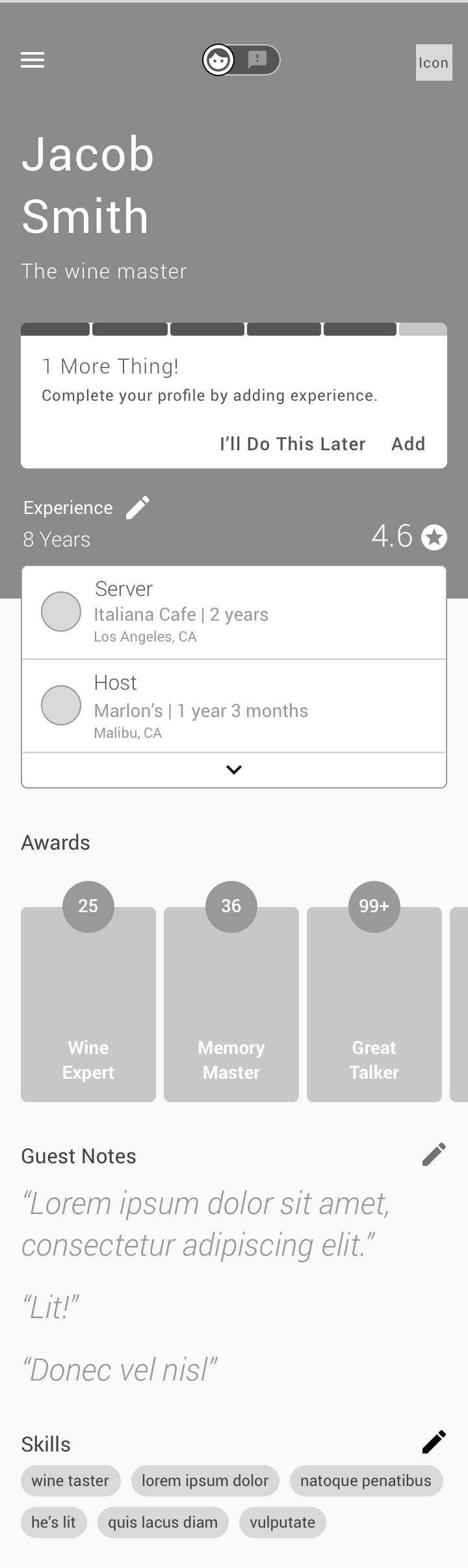
Incomplete Profile Messaging
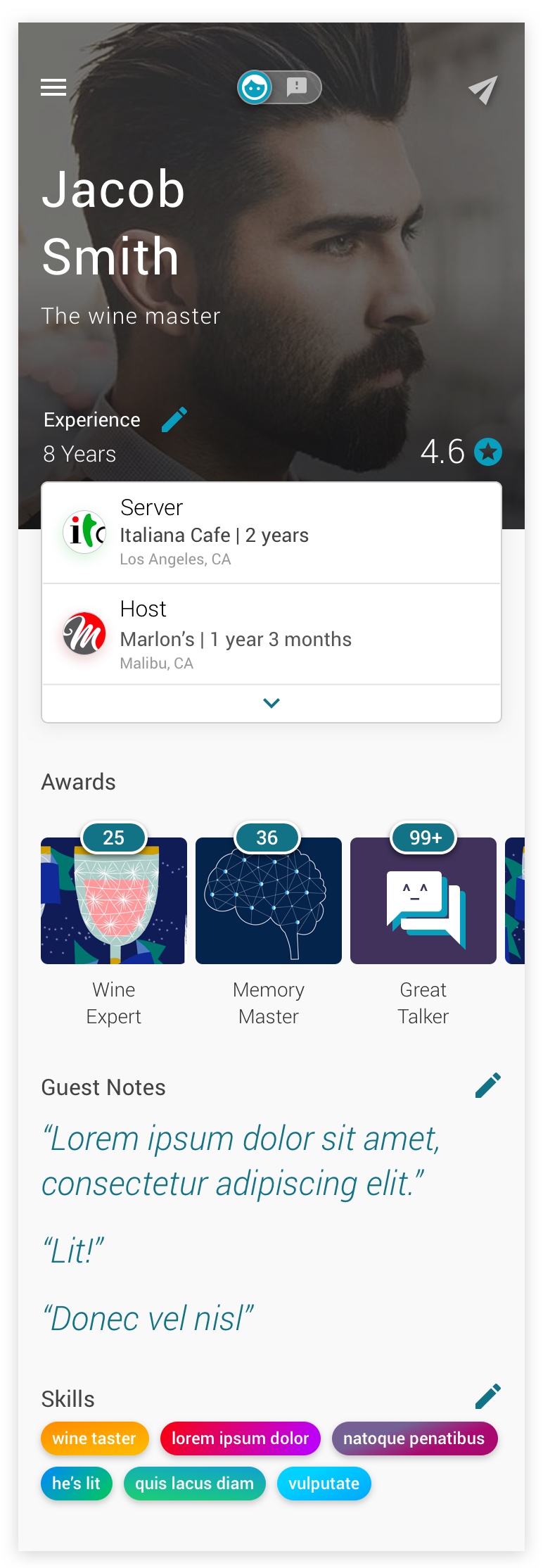
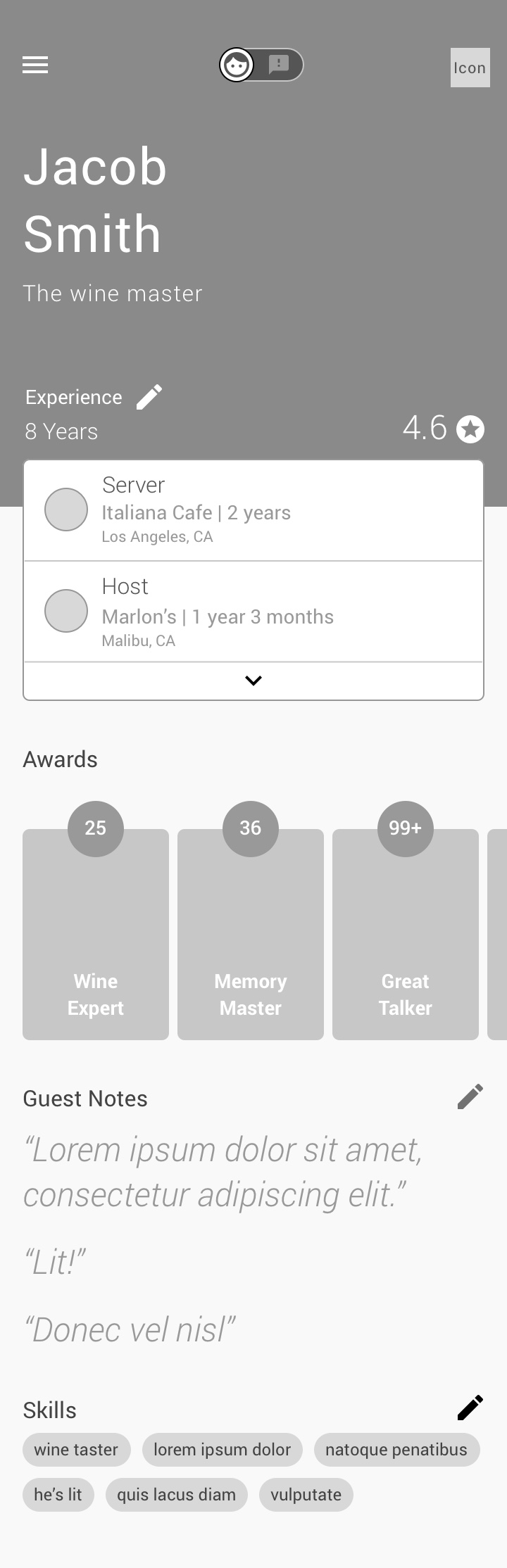 Creating an area to really highlight the user photo while still surfacing information that will catch the eye of employers was the goal here since the public profile and signed in state will be almost identical besides the editing functionality. I see this as the opportunity to create the digital version of the first handshake and a smile interaction between employees and prospective employers with this layout.
The key goals:
• Highlight the user’s experience, rating, and positive feedback as a viewer scrolls and lets the page tell the story.
• Provide a simple way for primary employee users to toggle between the customer facing feedback mode
• Have a little bit of everything while not overwhelming viewers
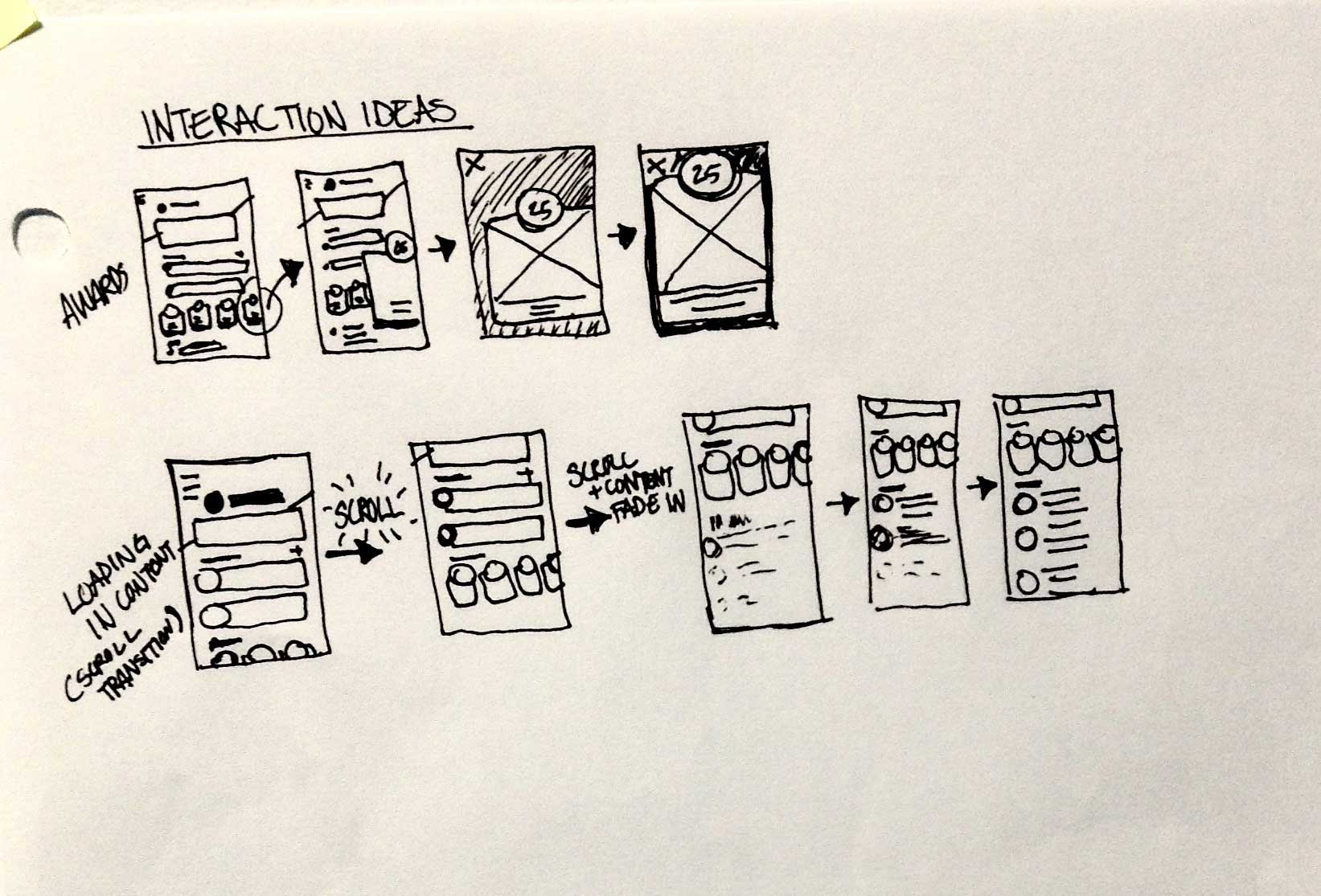
Main UI Interaction Sketch
Settings Panel & Second Level UI
Users can control all of their account settings from email, name, photo, and more from the side menu. Additionally, they can easily edit experience, skills, guest notes, and more with a tap from the main UI—these sections appear as modals over the main UI.


Feedback Flow
As I stated in the discovery phase, I found it hard to actually make the app simpler and have it make sense. Users can sign up for this service on their own or through an employers tablet/mobile device, but by removing the ability for employer/customer management, profiles, and more, I ran into the problem of stopping abuse of the system by employees.
Stoping abuse of the feature by employees:
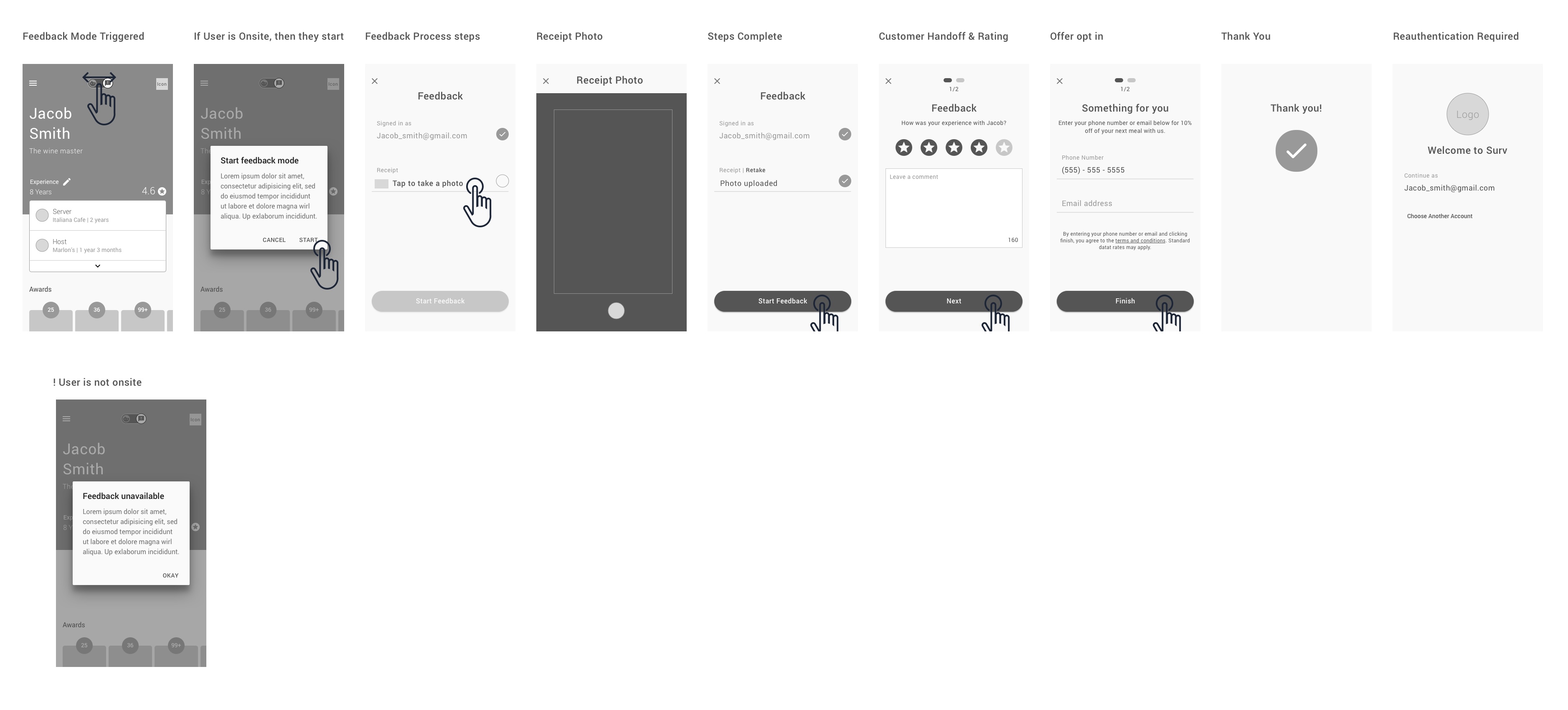
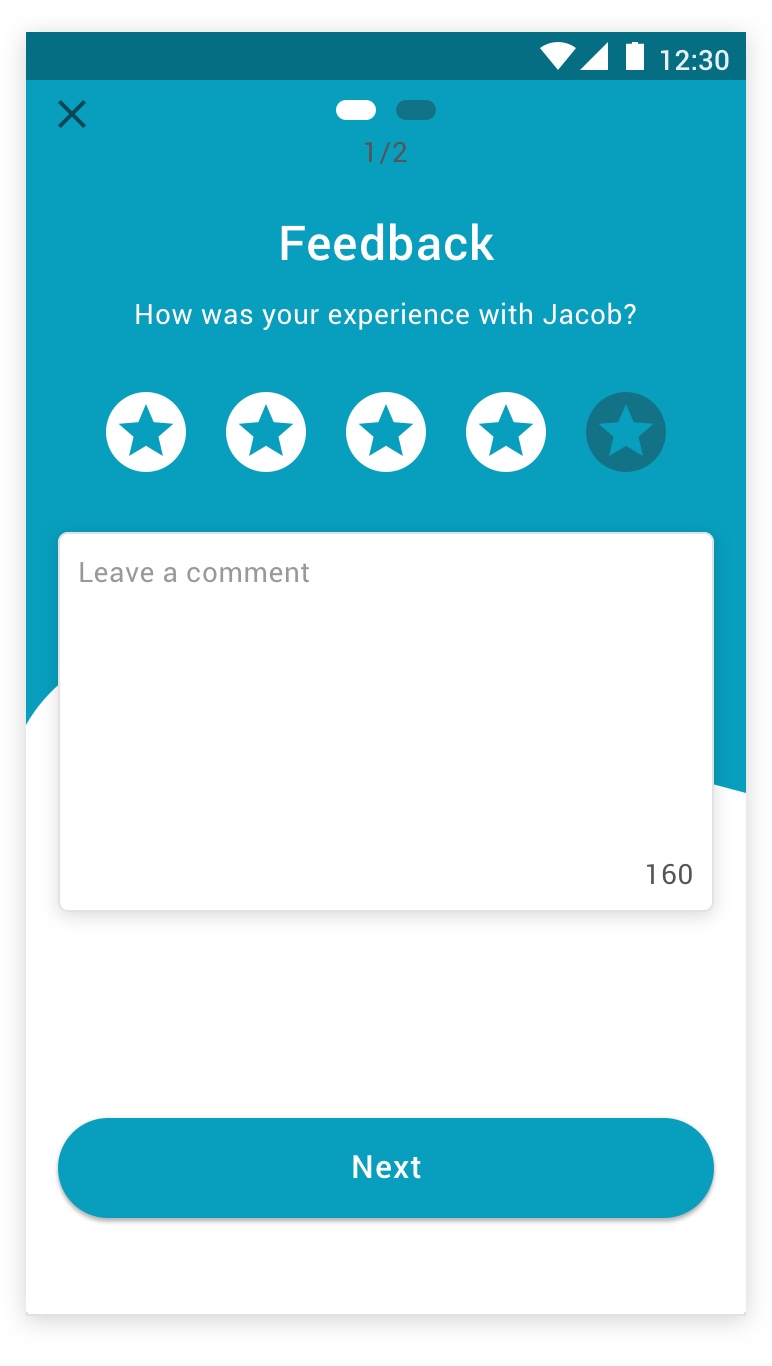
I determined that employees must share their location through the app and they will only be allowed to initiate the feedback flow by being present at the location. To take it to the next level, I decided that they must photograph the receipt to authenticate and initiate the feedback flow before they hand the device to customers. Through photo analysis and machine learning, we can determine that the receipt is legitimate and from the same date that the feedback is being submitted.
System review and employee access to feedback:
After triggering the feedback flow, the employee can only go back to their account after signing back in. This was done to avoid tampering with the employee accounts by customers. Afterward, employees can receive a notification when their feedback has been taken in by the system and reviewed—this delay will also help ease any conflicts between customers and employees since there will be a gap in the time of the end of the feedback survey and the processing of the review.
This review will be conducted to ensure that no hateful speech, no foul language, and no unjust feedback are added to an employee’s profile.
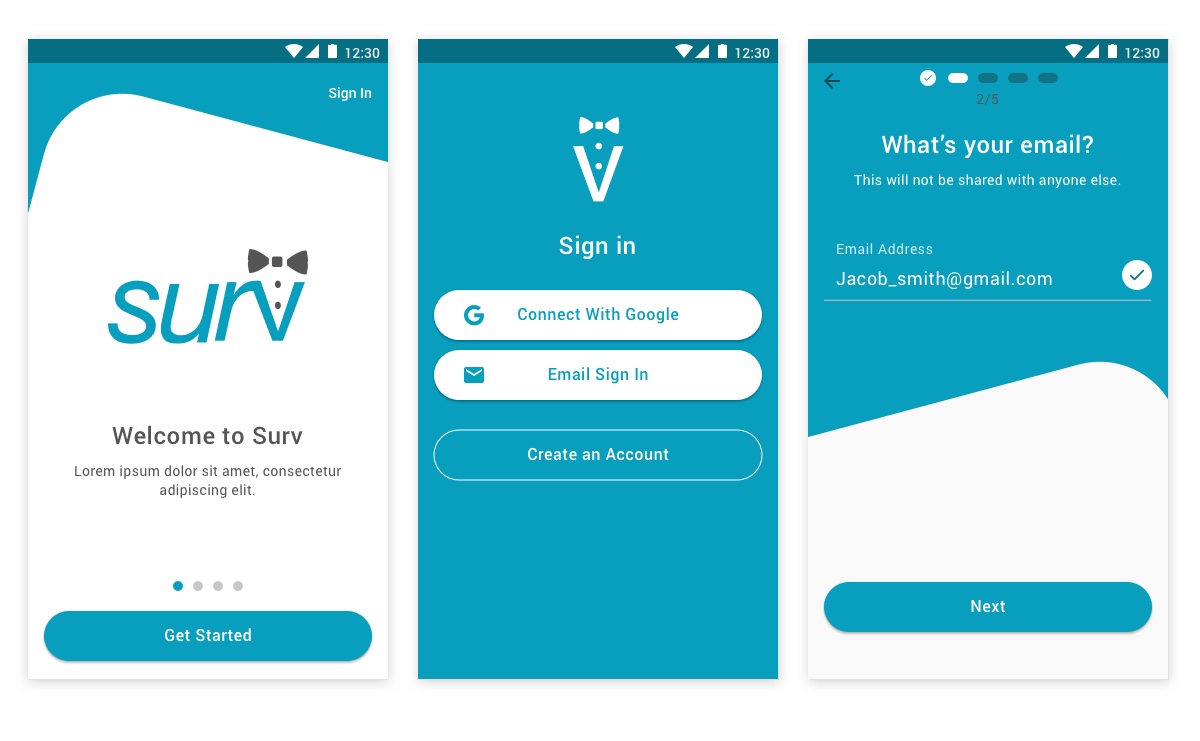
Mockups
I aimed to appeal to an audience that skews younger and more tech savvy. The color gives the upbeat vibe and hopefully helps to keep users engaged as they interact with the onboarding flow. I also envision the blue background portion having movement to make the process more interesting as the user completes the task at hand.
Main UI & Customer Feedback
Discover > Design > Develop > Deploy
The develop phase happens when all mockups, assets, and specs are ready for dev teams to consume. I work closely with them throughout the process to set expectations and respond to any of their concerns.
The deploy phase is centered around the launch of a new product or feature—the job is not done! I work closely with teams to obtain information about how a feature is performing so we can gather data and continue to improve products for the future.
Future Goals
Ideally, this product would do well with the people that we test with. Opening this platform up to employers would be the first priority. The user base will grow tremendously once employers can manage employees in the system. By using this tool, employers can get direct feedback about their staff from customers. This information can help promote from within and address the pain points of the customers more accurately. A network can be created for employers and employees alike because coworkers will be able to interact with each other, give recommendations, and vouch for each other’s skill sets.
I would like to see Google maps/reviews integration in the future which will expedite the process of employers registering by leveraging all of the data for restaurant locations around the world.
Additionally, we can integrate with other pay systems if we do not develop our own. This will allow for tip tracking and a smoother process for authenticating and obtaining feedback. At that point, devices would be in every location that has it’s staff signed up for the service and finally, service industry employees will have the experience they deserve that is dedicated to them and their goals.
Conclusion
After diving into this challenge, I really realize how tough it is to obtain feedback as a person in the service industry. I immediately thought about how difficult it was for people that I know who work in high pressure businesses that demand a lot, but do not have solid systems for voice of the customer style of feedback. Working with a challenge like this and defining a clear scope and direction can be challenging when you start thinking of all the possible problems to solve that are outside of the core issue—I think this idea is just the tip of the iceberg…
Thank you, and remember to tip your waiter 😉
– CXC
 Cameron Xavier Coleman: US Senior Manager, Product Design